See exactly how FiatFlex works
Every screen below is the real merchant app, not a mockup. Follow a payment from the moment you take it to the moment the money lands in your bank account.
Your dashboard
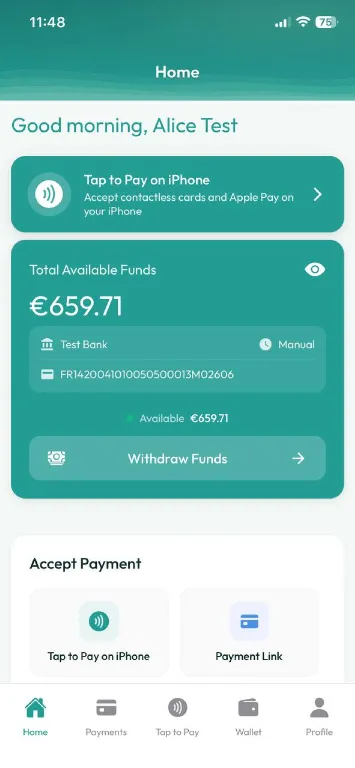
Your balance and your next action, on one screen
The home screen opens on what matters: how much you can withdraw right now, which bank account it goes to, and a one-tap route into taking a payment. Tap to Pay sits at the top because most merchants start there.
- Total available funds across card and crypto takings
- The exact bank account your euros are sent to
- Withdraw whenever you choose, no automatic payout schedule
Three ways to get paid
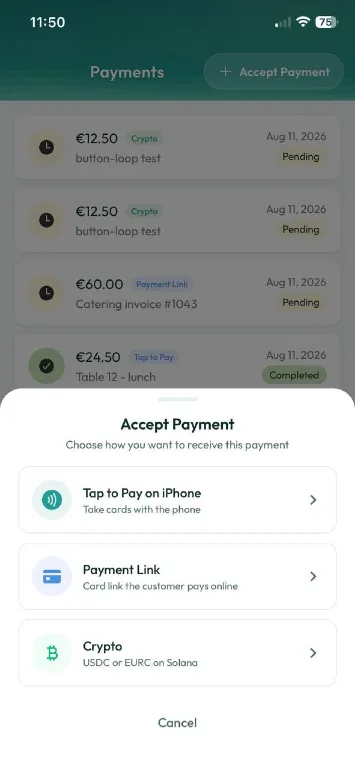
Card in person, card online, or stablecoin
One Accept Payment button opens every method you support. Take a contactless card on the phone itself, send a link the customer pays online, or request USDC or EURC on Solana. Same app, same history, same payout.
- Tap to Pay on iPhone, no card terminal to buy or carry
- Payment links for remote and invoice-style sales
- Crypto in USDC or EURC on the Solana network
Payment links
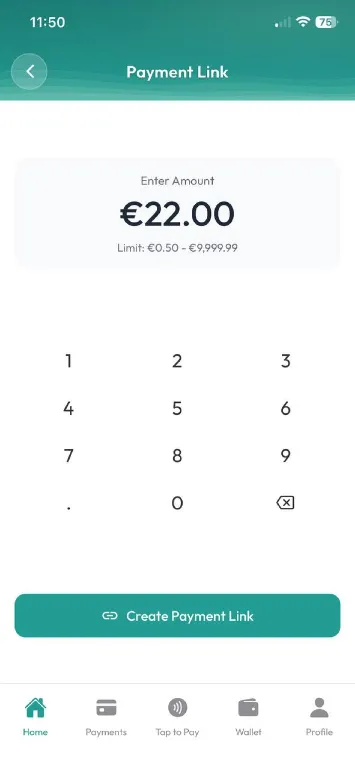
Type an amount, get a link to share
Enter the amount on the keypad and create a link the customer can pay from any browser. Useful for deposits, invoices, phone orders and anything you are not taking face to face.
- Amounts from €0.50 up to €9,999.99
- Share by message, email or QR
- The link tracks itself in your payment history
Crypto by QR
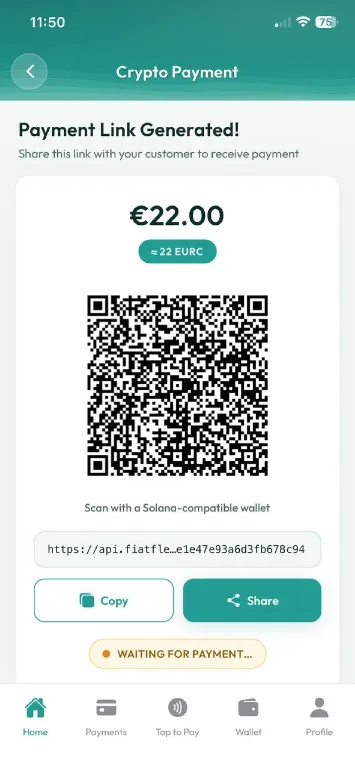
A QR your customer scans with any Solana wallet
Ask for an amount in euros and the app quotes the stablecoin equivalent, then shows a QR code. The customer scans it with a Solana-compatible wallet and you watch the payment confirm live.
- Priced in euros, settled in USDC or EURC
- Confirms on Solana in seconds
- Accepting crypto is free; converting to euros costs 1%
Payment history
Every payment, whatever way it came in
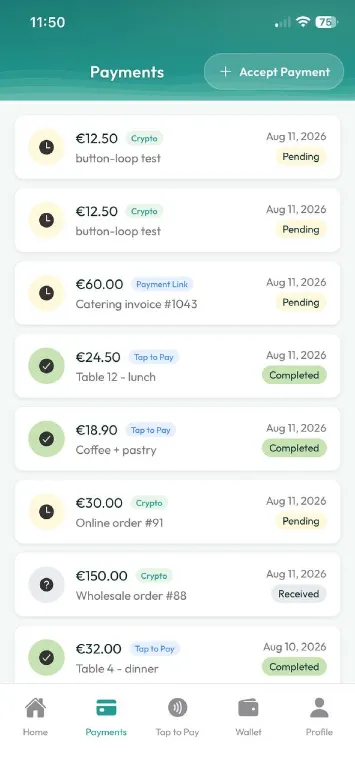
Card, link and crypto payments land in the same list, each tagged with how it was taken and where it stands. You can see at a glance what has completed and what is still pending.
- Filter by Tap to Pay, Payment Link or Crypto
- Clear Pending, Received and Completed states
- Tap any row for the full detail
Transaction detail
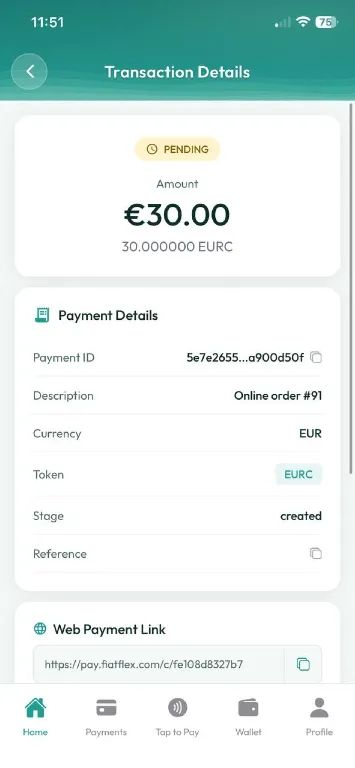
The full record behind each payment
Open a payment to see the amount in euros and in the stablecoin actually received, the reference your customer used, the current stage, and the web link if it was a link payment.
- Euro amount alongside the exact token amount
- Payment ID and your own description or reference
- The stage the payment has reached
Cash-outs
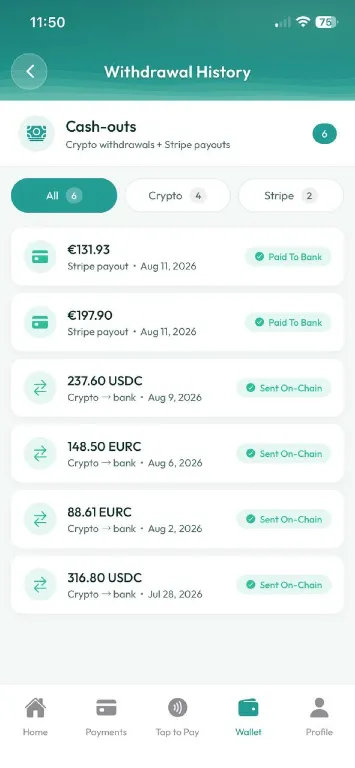
Card payouts and crypto withdrawals, together
One history for money leaving the platform, whether it settled as a bank payout from card takings or an on-chain transfer of your stablecoins. Filter to whichever side you are reconciling.
- Bank payouts and on-chain transfers in one list
- Filter to crypto only or card only
- Clear Paid To Bank and Sent On-Chain states
Payout detail
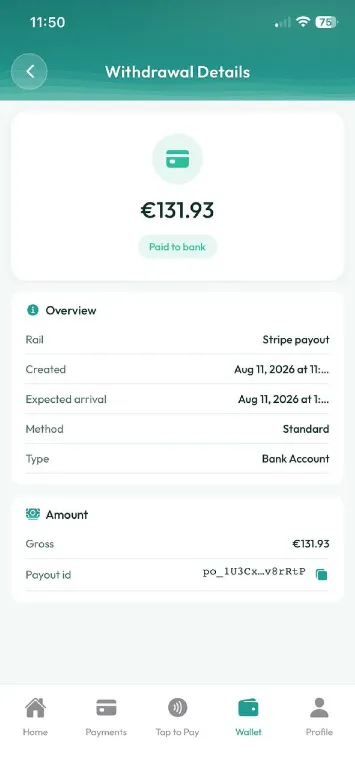
Know when the money actually arrives
Each payout shows the rail it travelled, when it was created, and the expected arrival date, so you can match it against your bank statement without guesswork.
- Expected arrival date, not just a submitted date
- The payout reference to match your statement
- Withdrawing to your bank is free
Ready to take your first payment?
Download the app, complete verification once, and start accepting card and crypto payments the same day.